Welcome to Quark
What is Quark?
Quark is a small box that turns a USB drive into your own cloud. Photos, files, documents — on hardware you own, in a room you can walk into. Think Google Drive or iCloud, except the default is that your stuff stays at home.
How to use it
- Plug Quark into power and into your router, then wait a minute.
- On a phone or computer on your home WiFi, open a browser and go to quark.local.
- Follow the Getting Started guide from there.
How does Quark stay private?
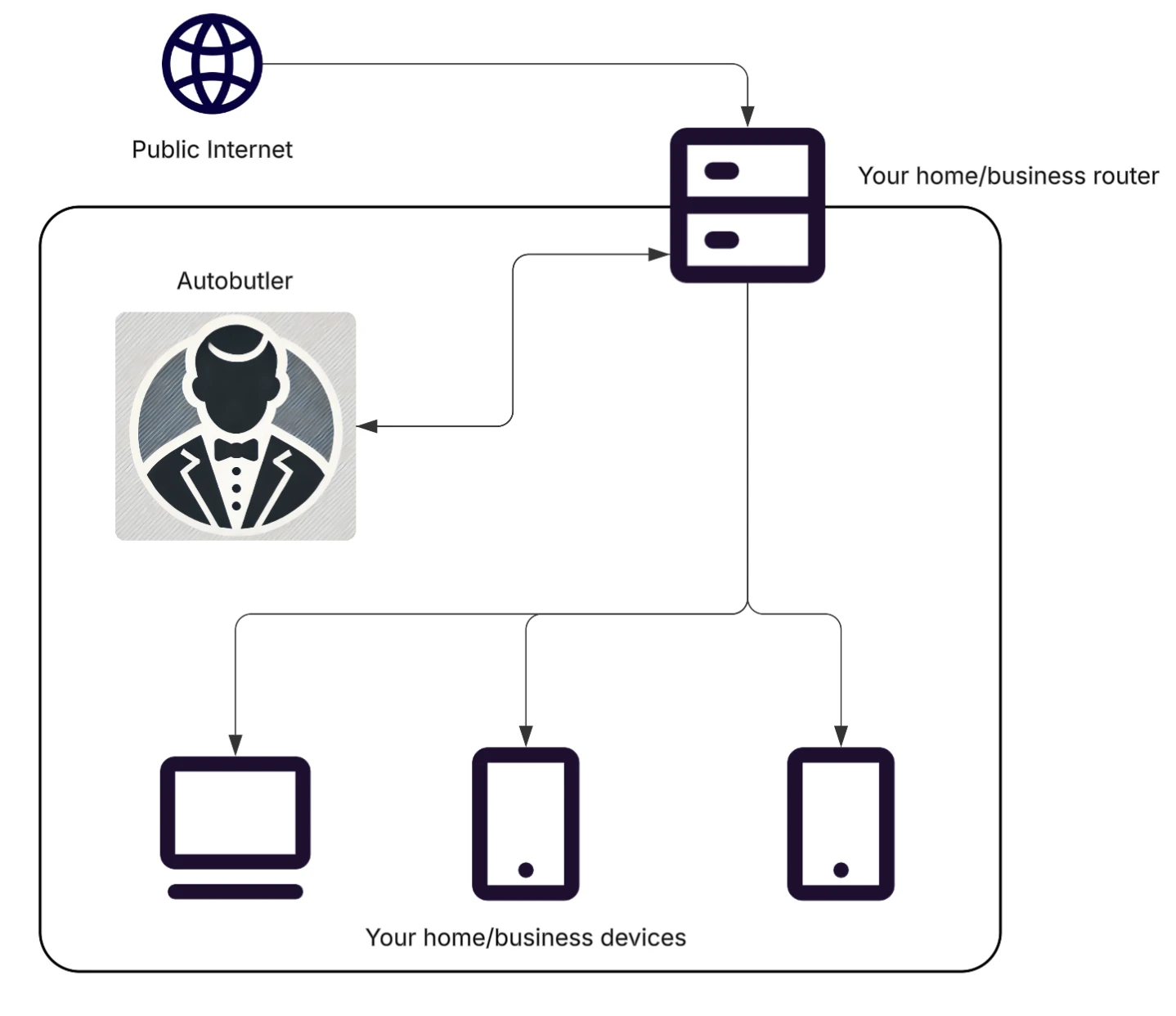
By default, Quark works on your home network. Devices on your WiFi talk to Quark through your router. Your files live on the drive you plugged in.
Away from home, you can reach the same box with remote access. It stays off until an admin turns it on in Settings → Network, and your files still live on your drive. We do not hold a copy. See How It Works for the plain-English version.
Quark's routine contact with the public internet is fetching security fixes for the operating system underneath. It looks for new Quark versions only when someone opens the Updates tab. While remote access is on, Quark also stays in touch with our service that connects your phones to it. (Starting an import yourself is separate from that default.) Don't take our word for it — the code is public on GitHub.
How can we trust you?
Brandon here. This started as a product for my parents. No venture capital. No subscription that can change price on you later. If the hardware ever dies, your data is on your drives — swap the box, keep the files.
We're on Reddit at r/autobutler if you want to talk to us or the community.
Legal
Related
- Getting Started — day-to-day use
- How It Works — local-first, explained plainly
- Remote Access — using Quark away from home
- Help & Support — troubleshooting and how to reach us
- Security Guide — passwords, backups, and what Quark does not do
- Accessibility — large text, screen readers, high contrast, and reduced motion
- Keyboard Shortcuts — every shortcut, grouped by where you are